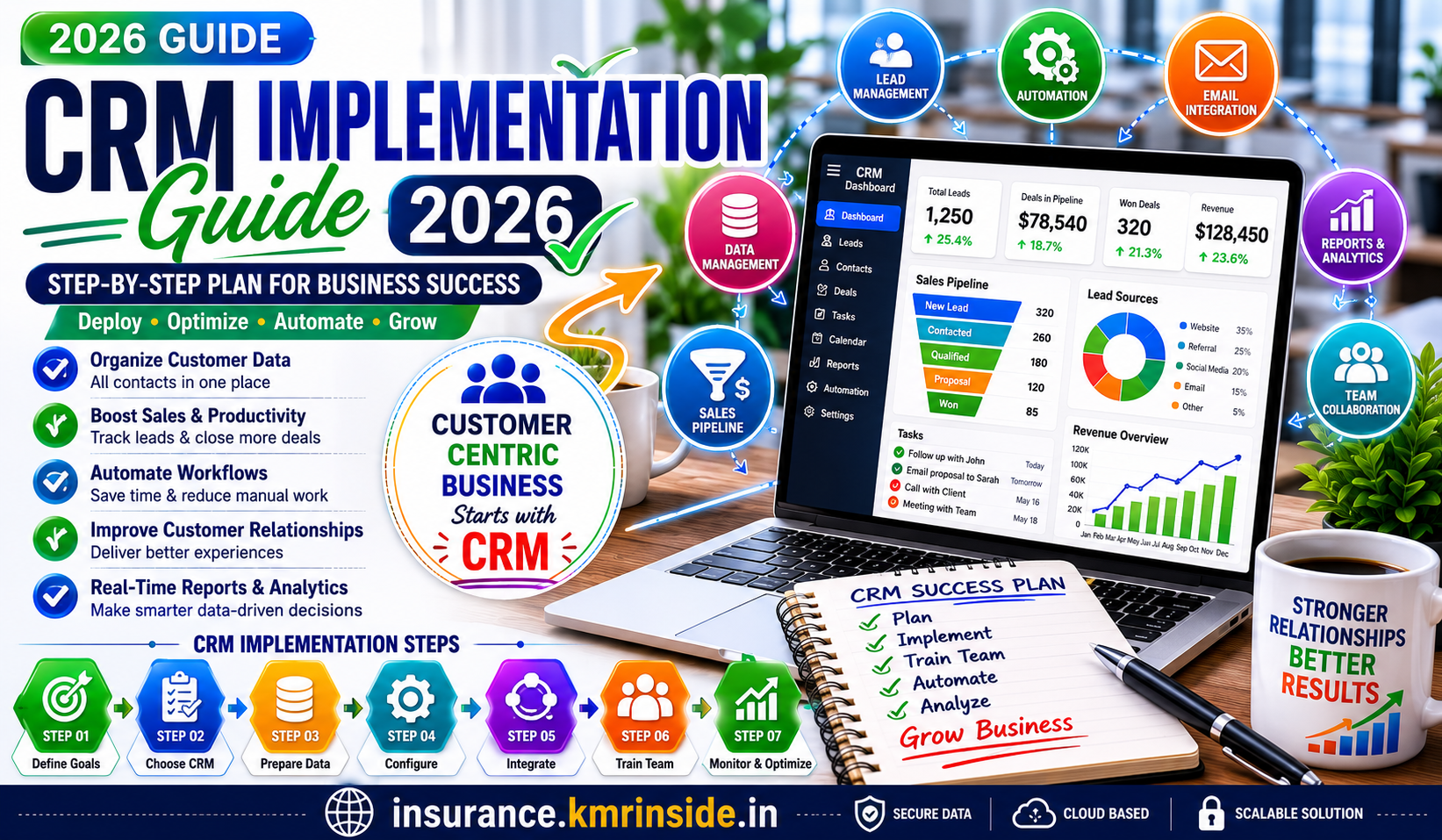
Implementing Customer Relationship Management (CRM) software is one of the smartest investments a business can make. A CRM helps companies organize customer data, improve communication, automate sales processes, and deliver better customer experiences. However, purchasing CRM software is only the first step. The real challenge is implementing it successfully.
Many businesses fail to achieve the expected return on investment because they don’t have a proper implementation strategy. Employees resist change, customer data becomes disorganized, and automation features remain unused.
This guide explains everything you need to know about CRM implementation in 2026, including planning, deployment, training, common mistakes, and best practices.
What Is CRM Implementation?
CRM implementation is the process of installing, configuring, customizing, and integrating CRM software into your business operations.
It involves much more than simply creating an account.
A successful CRM implementation includes:
- Planning business goals
- Importing customer data
- Configuring sales pipelines
- Setting user permissions
- Integrating third-party applications
- Training employees
- Testing workflows
- Monitoring performance
A well-planned implementation ensures your CRM becomes a valuable business asset rather than just another software subscription.
Why CRM Implementation Matters
Even the most advanced CRM software cannot improve your business if employees don’t use it correctly.
A successful implementation helps businesses:
- Increase sales conversions
- Improve customer satisfaction
- Automate repetitive work
- Track every sales opportunity
- Centralize customer information
- Improve team collaboration
- Generate accurate business reports
Businesses that implement CRM correctly often experience faster sales growth and higher customer retention.
Step 1: Define Business Objectives
Before choosing or deploying CRM software, identify your business goals.
Ask questions such as:
- Do you want to increase sales?
- Improve customer support?
- Generate more qualified leads?
- Automate follow-up emails?
- Reduce manual work?
Clear objectives help determine which CRM features are most important.
Step 2: Choose the Right CRM Software
Not every CRM is suitable for every business.
When evaluating CRM platforms, consider:
- Ease of use
- Pricing
- Automation capabilities
- AI features
- Mobile applications
- Integration options
- Customer support
- Scalability
Small businesses should avoid paying for complex enterprise features they don’t need.
Step 3: Prepare Customer Data
Data quality determines CRM success.
Before importing information:
- Remove duplicate contacts
- Correct inaccurate records
- Update phone numbers
- Verify email addresses
- Standardize company names
Clean data improves reporting accuracy and automation performance.
Step 4: Customize the CRM
Every business has unique sales processes.
Customize your CRM by creating:
- Sales stages
- Lead statuses
- Contact fields
- Customer categories
- Sales pipelines
- Custom dashboards
Avoid unnecessary complexity.
Simple systems are usually adopted more successfully.
Step 5: Integrate Business Applications
Modern CRM software works best when connected with other business tools.
Popular integrations include:
- Email platforms
- Accounting software
- Marketing automation
- Live chat
- Customer support systems
- Calendar applications
- Video conferencing tools
Integration eliminates duplicate work and improves productivity.
Step 6: Automate Repetitive Tasks
Automation is one of CRM’s biggest advantages.
Businesses can automate:
- Lead assignment
- Welcome emails
- Follow-up reminders
- Appointment scheduling
- Proposal delivery
- Customer onboarding
- Renewal notifications
Automation saves time while ensuring consistent communication.
Step 7: Train Your Employees
Employee adoption determines implementation success.
Training should cover:
- Contact management
- Pipeline updates
- Task creation
- Report generation
- Mobile application usage
- Email tracking
- Automation workflows
Employees should understand how CRM makes their jobs easier rather than viewing it as extra work.
Step 8: Monitor CRM Performance
Implementation doesn’t end after deployment.
Businesses should regularly review:
- User activity
- Sales conversion rates
- Customer response times
- Lead quality
- Pipeline value
- Revenue growth
Continuous optimization improves long-term performance.
Common CRM Implementation Challenges
Many businesses experience similar problems during implementation.
Poor Planning
Launching CRM without clear objectives often results in confusion.
Create an implementation roadmap before deployment.
Employee Resistance
People naturally resist change.
Explain the benefits and provide ongoing support.
Low Data Quality
Incorrect customer information reduces automation effectiveness.
Regularly clean and update CRM records.
Overcomplicated Workflows
Adding unnecessary fields and automation can overwhelm users.
Keep workflows simple.
Lack of Management Support
Leadership should actively encourage CRM adoption.
Managers should lead by example.
Best Practices for CRM Implementation
Successful businesses follow several proven strategies.
Start Small
Implement essential features first.
Additional automation can be added later.
Focus on User Experience
Employees are more likely to use software that is simple and intuitive.
Measure Success
Track important KPIs such as:
- Sales growth
- Lead conversion rate
- Customer retention
- Average response time
- Customer satisfaction
- Revenue per customer
Update the CRM Regularly
Customer information changes frequently.
Accurate data improves reporting and automation.
Continue Employee Training
CRM software evolves over time.
Regular training helps employees utilize new features.
AI and CRM in 2026
Artificial Intelligence has transformed CRM software.
Modern AI-powered CRM systems can:
- Predict customer buying behavior
- Recommend follow-up actions
- Automatically score leads
- Draft personalized emails
- Summarize meetings
- Forecast sales revenue
- Identify churn risks
AI enables businesses to make faster, data-driven decisions while reducing manual work.
Benefits of Successful CRM Implementation
Organizations that implement CRM effectively often experience:
- Increased sales productivity
- Better customer relationships
- Faster response times
- Improved reporting accuracy
- Stronger team collaboration
- Higher customer retention
- Greater operational efficiency
CRM becomes the central hub for every customer interaction.
Final Thoughts
CRM implementation is not just a software installation—it is a business transformation process. A properly implemented CRM can streamline operations, improve customer relationships, automate repetitive tasks, and provide valuable insights that support long-term business growth.
Success depends on careful planning, clean customer data, employee training, and continuous optimization. Businesses that treat CRM as a long-term strategy rather than a one-time project are far more likely to achieve measurable improvements in sales, productivity, and customer satisfaction.
Whether you’re a startup implementing your first CRM or an established company upgrading to a modern AI-powered platform, following a structured implementation process will help you maximize your investment and build stronger customer relationships in 2026 and beyond.